Sometimes people ask what good LLMs have done to the world. That’s a spicy question, but the best I can do is showcase some of the things I’ve done with them. I called this post “my slop” as tongue and cheek, but I’m pretty happy with this stuff. I’ll use “I made” out of habit, but it likely means “I guided a model into doing”.
Epistemic Status
Most things here are “vibe coded”, in the strict, original definition. It’s about if I’ve sufficiently touched the code, or if I have familiarity with the codebase.
Most of my actual professional uses involve significant involvement in the code even when I utilize LLMs, the projects here being lower stakes helps with keeping my involvement to just feedback.
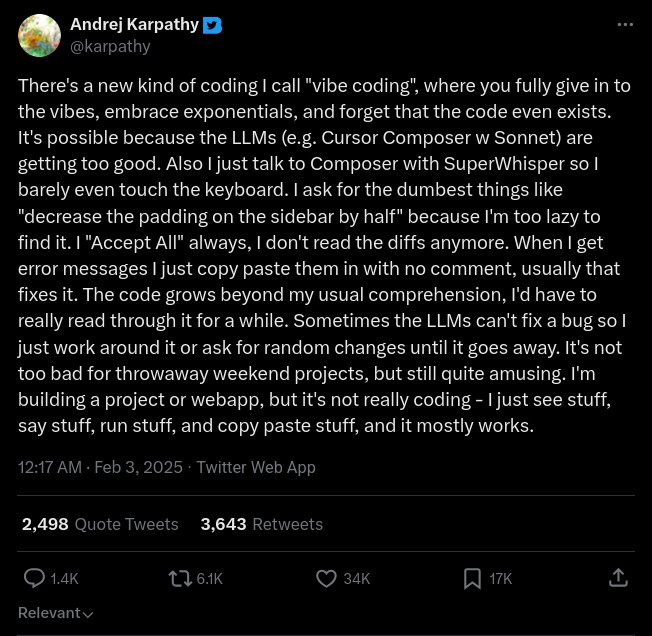
I wish to note, you may notice that almost none of these projects here would be afternoon projects in the before-times. I had almost no time to work on publishable personal projects before, either things were small and unglamorous that I could do it real quick and not feel like the effort to publish is worth it, or they were too large and required at least several evenings of commitment, which I wasn’t willing to do, that’s how I ended up with a billion open projects that I lost interest in past first or second evening. LLMs have been a major change there, being able to rapidly work on things has been wonderful.
It’s my opinion that caring has always been the most important component of making something. LLMs let you make a professional looking, complex project with little effort. Previously, you’d need to care to put in the substantial effort to make it happen, and said care would show in many parts of your project. That heuristic no longer works, and yet, we must keep putting in the care to make things nice. I hope that these examples showcase how I’m putting in some care, going past “one shot no mistakes”.
bigger stuff
proton-g29
This is one hell of a project :)
I’m interested in practicing with driving simulators, so I can be as ready as I can be before I do my mandatory 12 hours of driving before I can get a license here in Germany. Minimum costs for a license are around 2k EUR, most people spend a few thousand more due to needing more lessons, and I want to minimize that, so we got a Logitech G29 steering wheel (+ pedals + shifter), dusted off the Quest 2, and started practicing with city car driving, which is made by a proper simulator company, intended to help learn to drive. We had to use windows and oculus link for this, as it really doesn’t like SteamVR. We did try it out without VR there, we had to go to a lower proton version, it had some odd mapping for the pedals (but could be remapped to work), and force feedback didn’t work.
Force feedback will be a major cover point here, so: It’s what allows the steering wheel to apply certain effects. This can be added friction when you turn it in a direction, it can be wobbling about when you’re off-roading, it can be auto-centering, alongside others. This is a big element of added realism for driving, getting used to steering wheel not having resistance and driving without sufficient grip in certain situations will lead to exciting accidents.
A while later we switched to City Car Driving 2 (which just released). It doesn’t natively have VR support, but works well with UEVR, even under linux (with WiVRn for wireless streaming, and Kaon to inject UEVR), so we were back to Linux. I wanted to make steering wheel work with it on latest proton, including force feedback, and this was many, many hours of work over several weeks.
And here’s what you need to know about wine:
- winebus has 2 main options for gamepads: SDL2, hidraw. See here for detail.
- Default is SDL2, which has issues for steering wheels, but depending on the game, you can enable hidraw by passing an environment variable with the VID-PID of the steering wheel, and that will simply pass the steering wheel over directly to the game, making it its engine’s problem. At least with UE5, this works, but it loses force feedback, as there’s nothing to receive the commands and relay it to the steering wheel driver (lg4ff kernel module on linux).
- The expectation with SDL2 route is that the winebus side receives the steering wheel data from SDL2, converts it to the format the game is using to access it (e.g. dinput), and delivers it. Similarly, it’s supposed to do the reverse, by taking the force feedback commands from the game and delivering them to SDL2, which then mangles them and shoots them to lg4ff.
- Wine 6.3 → 7.0 had quite some refactors in the winebus gamepad code, and the well-meant “simplifications” broke steering wheels with a bunch of games, I detailed that here. It basically makes it so that in some games (especially unreal engine), only the right half of the steering wheel movement is detected (as they’re using unsigned fields).
And so, the problem was not easy to solve. It took quite some hours of futzing around, many different approaches, many different fixes that worked but weren’t clean enough for my liking. At some point we had independently fixed dinput, at another we had reimplemented the parts of SDL2’s force feedback code in winebus hidraw handling.
In the end, we found a fix that makes me happy enough, which is a few fixes on winebus to fix the steering wheel reporting:
- Remap the G29 axes so that the pedals are detected correctly.
- Change the G29’s descriptor report order to match the native one, as a supporting fix to above.
- Change the axis values to be unsigned.
- Change force feedback effect direction to match this change.
And a few fixes on SDL3 (wine uses it through SDL2-compat) to fix force feedback there:
- Some fixes to prevent stale data when there’s too frequent FFB commands
- Using signed arithmetic for square and triangle waves, else you get your steering wheel slamming to the leftmost position max speed and rattling there. Not fun.
- Fixes to effect play level, to persist the value across parameter changes, so that for anything with a curve, it doesn’t get stuck at the beginning if the game is constantly updating the parameters (e.g. amplitude).
- Even more fixes about infinite effects fading when they shouldn’t, potentially underflowing the level.
The packaging is also a lovely hackjob, because I wanted to initially ship this as a separate proton version one can install, except the SDL situation makes it exciting™, as normally that’s either part of system libraries or the steam runtime. In this case, we’re shipping the patched SDL3 with the proton build, and placing them in a folder that’s prepended to LD_LIBRARY_PATH by proton, which prefers them to the system/runtime SDL. I have been told that there may be a better way of doing this by using wine’s native library override feature, will need to check that eventually.
The result is one proton package one can install, which then allows the user to use their G29 steering wheel on linux with a modern proton base (11 cachyos), with functional force feedback. I’ll eventually try to upstream this, wine parts are likely to be harder, but SDL part will need a rewrite by hand due to their AI policies. The day will come.
learnings
I’m really happy about all that I’ve learned about winebus, dinput, sdl and lg4ff. I’m also getting better at driving.
vlm alt texts
See my blog post on the topic: playing with vlm-generated alt text
This generates pretty good alt texts, and is included in two major bluesky social-app forks: witchsky.app, and cope.works.
I also have a “forbidden tusky fork” that implements it, as a proof of concept: https://github.com/s8n/Tusky
ultimatecontroller-rs
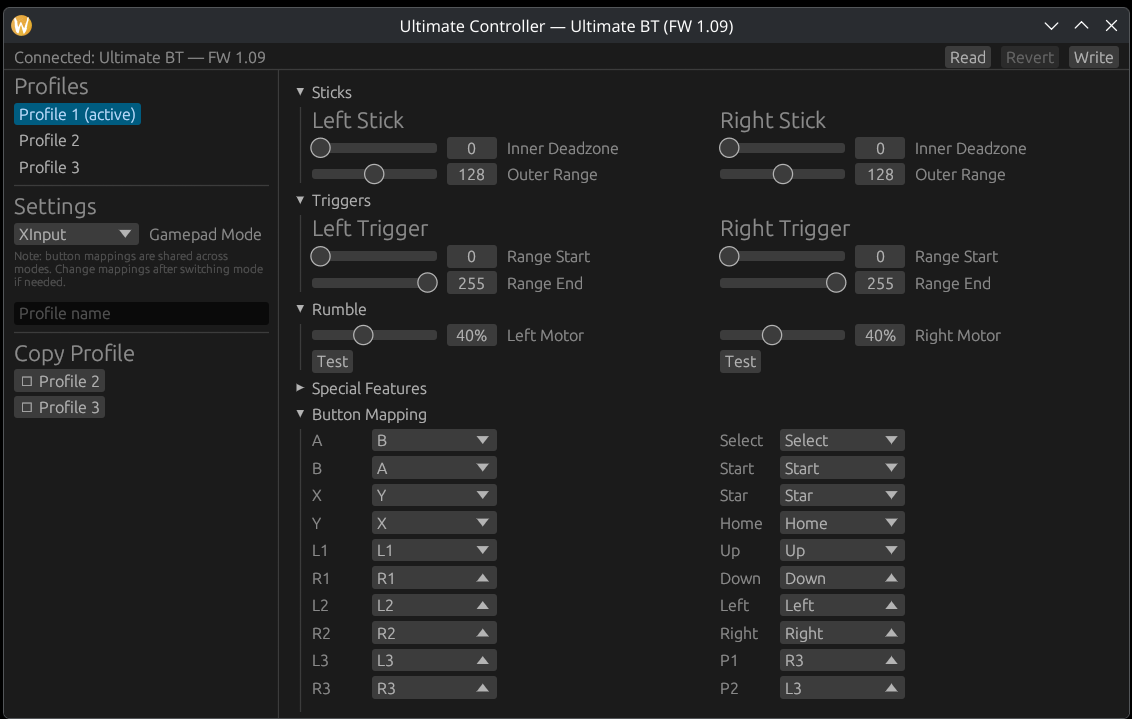
The 8bitdo ultimate controller is a nice bit of hardware, it has nice hall effect sticks, it has customizable back paddles… 👂👈 wait, I’m being told that the paddles can only be customized either through a mobile app or a windows app, and by physically plugging in the controller. And what do you mean that the ultimate controller was so non-ultimate that they made an ultimate controller 2?!
Anyhow. This was in the bucket list for a while. This is a complete reverse engineering and reimplementation of most of the functionality of the windows app, done with claude opus 4.8. Now I can rebind keys easier \o/
dxf-nester
This is a project I did with claude fable 5. This was done while on trains, using claude code web (see trenitalia pass compensation woes).
DXF is a vector file format, like SVG, mainly intended for CAD drawings, especially common in laser cutting. Last year, we’ve done a laser cutting project for building air purifiers, called aircycles. Manually layouting for fitting onto sheets was a pain in the neck.
Deepnest existed, but I’ve had really bad experiences getting it to run, and it didn’t do well for our project when it did run. Lightburn (the primary laser cutting software) doesn’t support nesting either, it just copies it as an SVG to clipboard, and opens a website based on deepnest, where you’re supposed to paste, nest, then copy the result back. I wanted to see if “I” could do better.
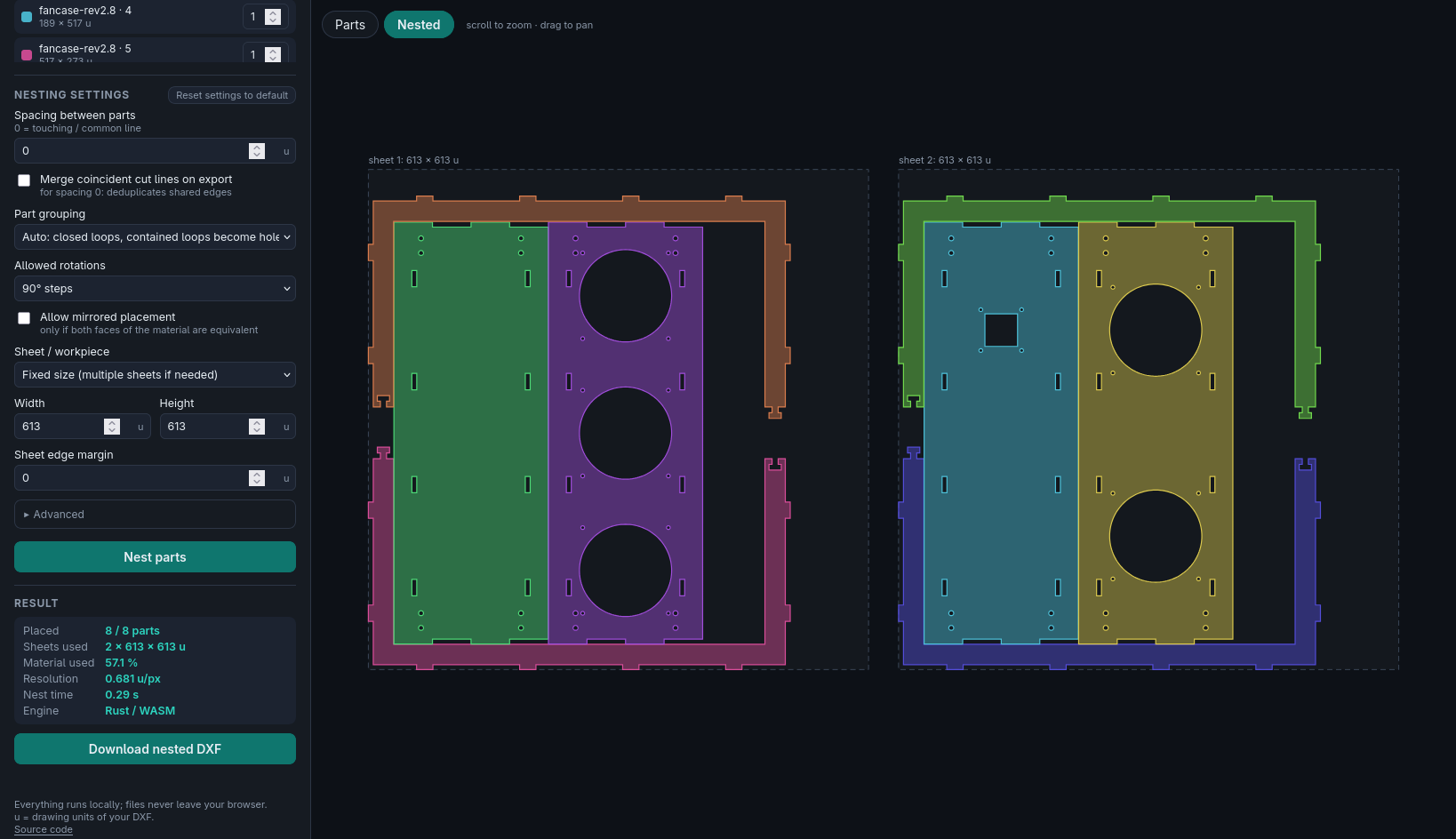
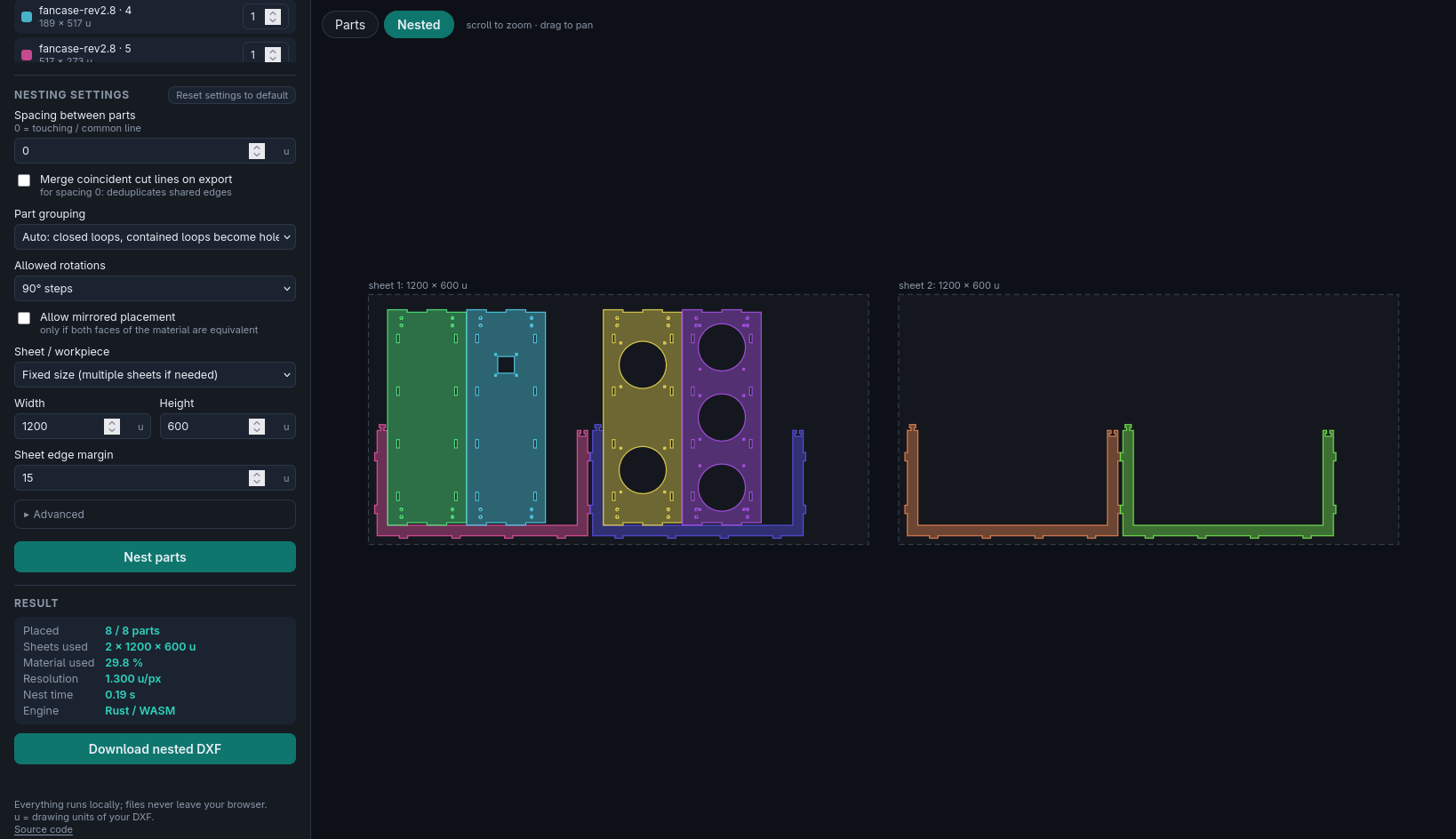
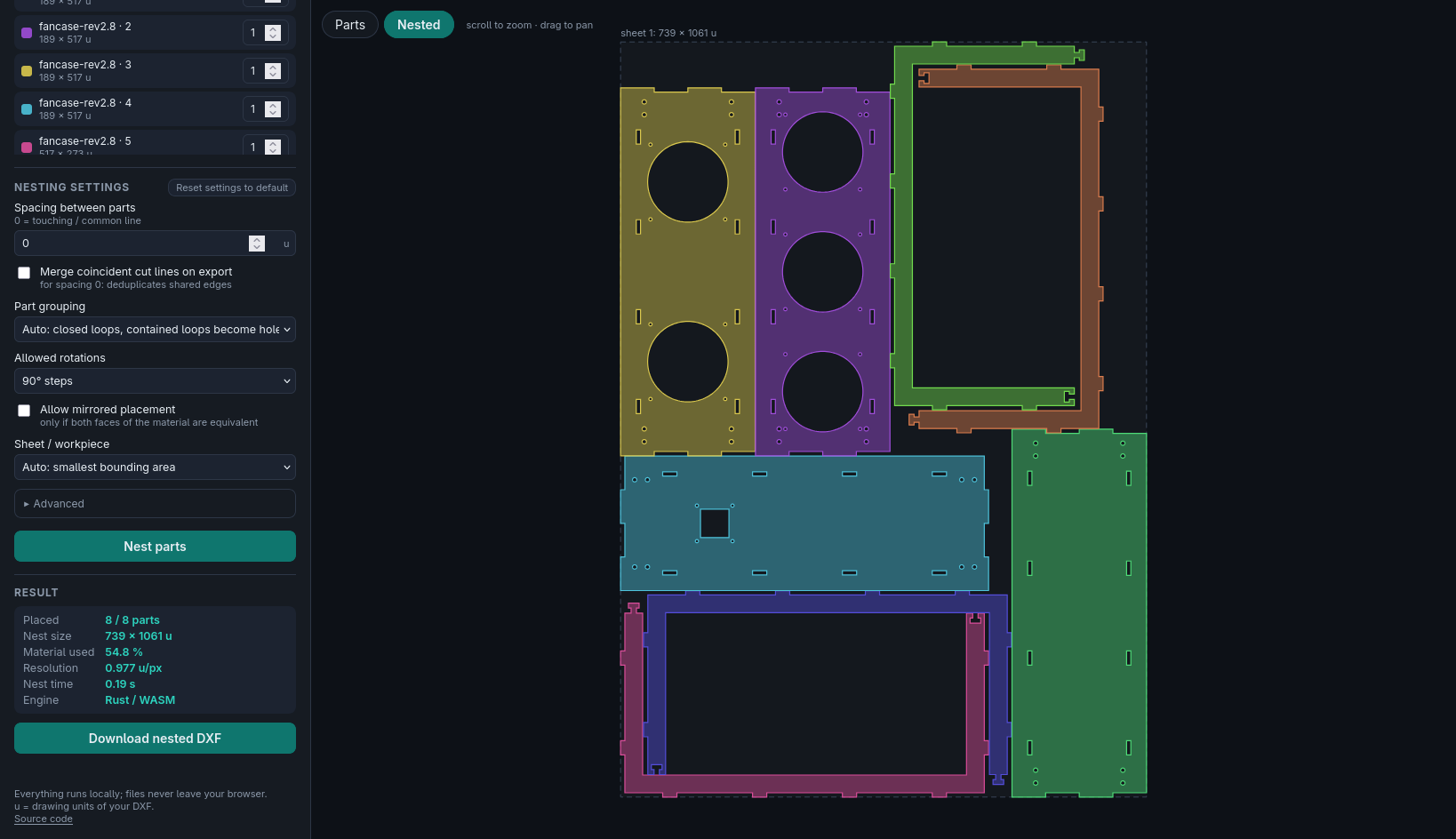
I’m very happy with the results! It’s very good at fitting in ways that I would, and it’s much, much faster than other nesters.
learnings
To be honest, I realized I understood very little about how this project functions after it was done, and I took the opportunity to ask fable to explain how the nesting logic works. I’m not sure I could write it from scratch still, but I have a much better understanding than before.
smaller stuff
pebble-hvv
Using claude opus 4.6, I made an app for pebble that connects to the API of Hamburger Vehrkehrsverbund, finds the nearby stops, and lets me see the live departure times from them (or from any stop I’ve marked as favorite). It’s great to only need a few seconds to tell if I should take the bus or the U-Bahn, or figure out how long I’ll have to wait for the bus on a cold day without having to hold my phone out.
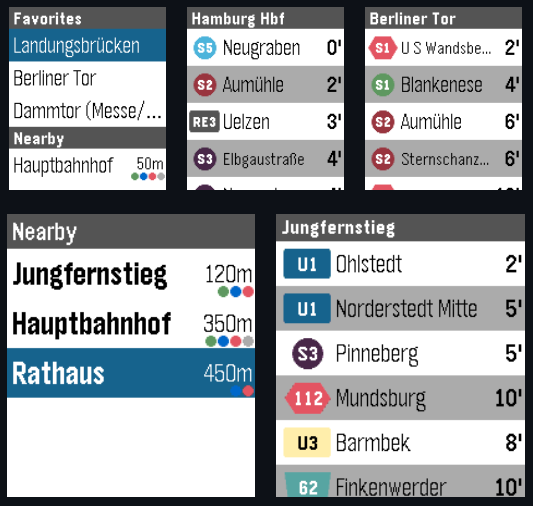
It works without needing API credentials by going through my API account (through a proxy with some security measures and some data mangling), and can also be used with one’s own credentials. The proxy and data mangling was necessary as HVV allows me to share timetable information, but not API results directly :) Very confusing.
remarksism
This is one where I was especially involved in the codebase despite not writing the code.
thermoid
I wanted to do this for a long time, but it’s kind of a pain to write 3DS homebrew. alas!
This lets you take a picture with the 3DS camera, then it dithers it, sends it to an ESP32 (as 3ds has no BLE support) over network, which then prints it with a thermal cat printer. Behold:
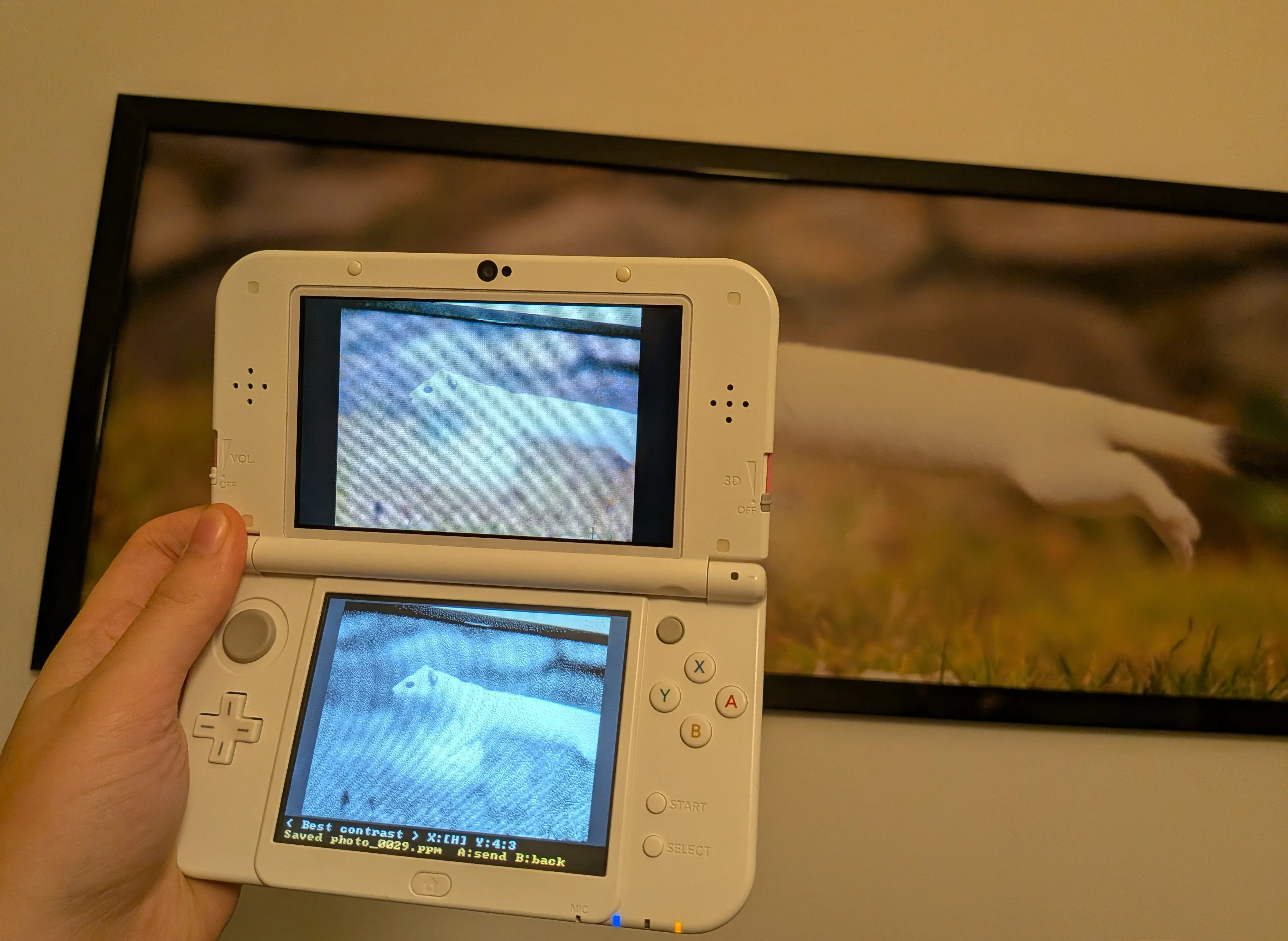
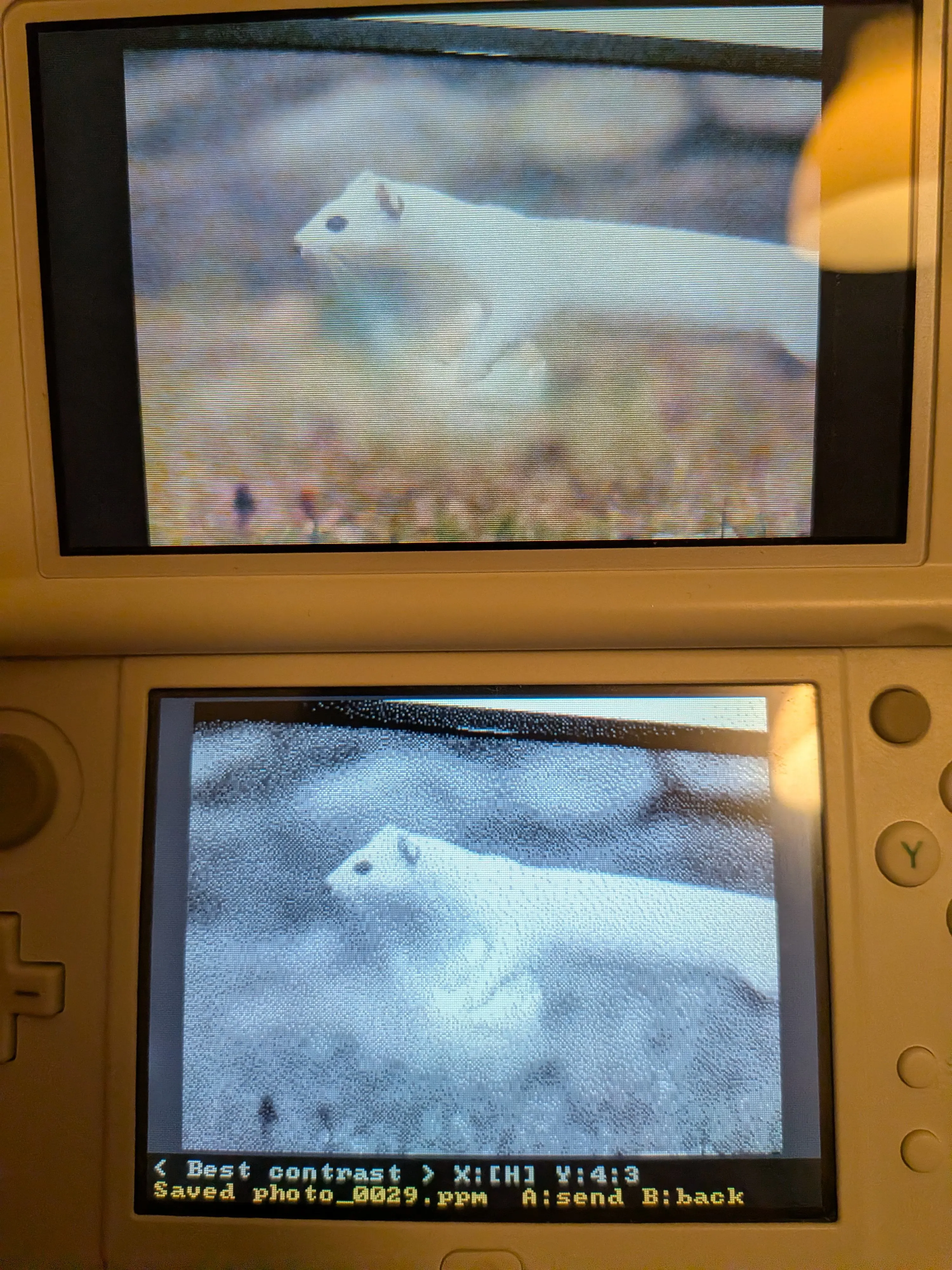
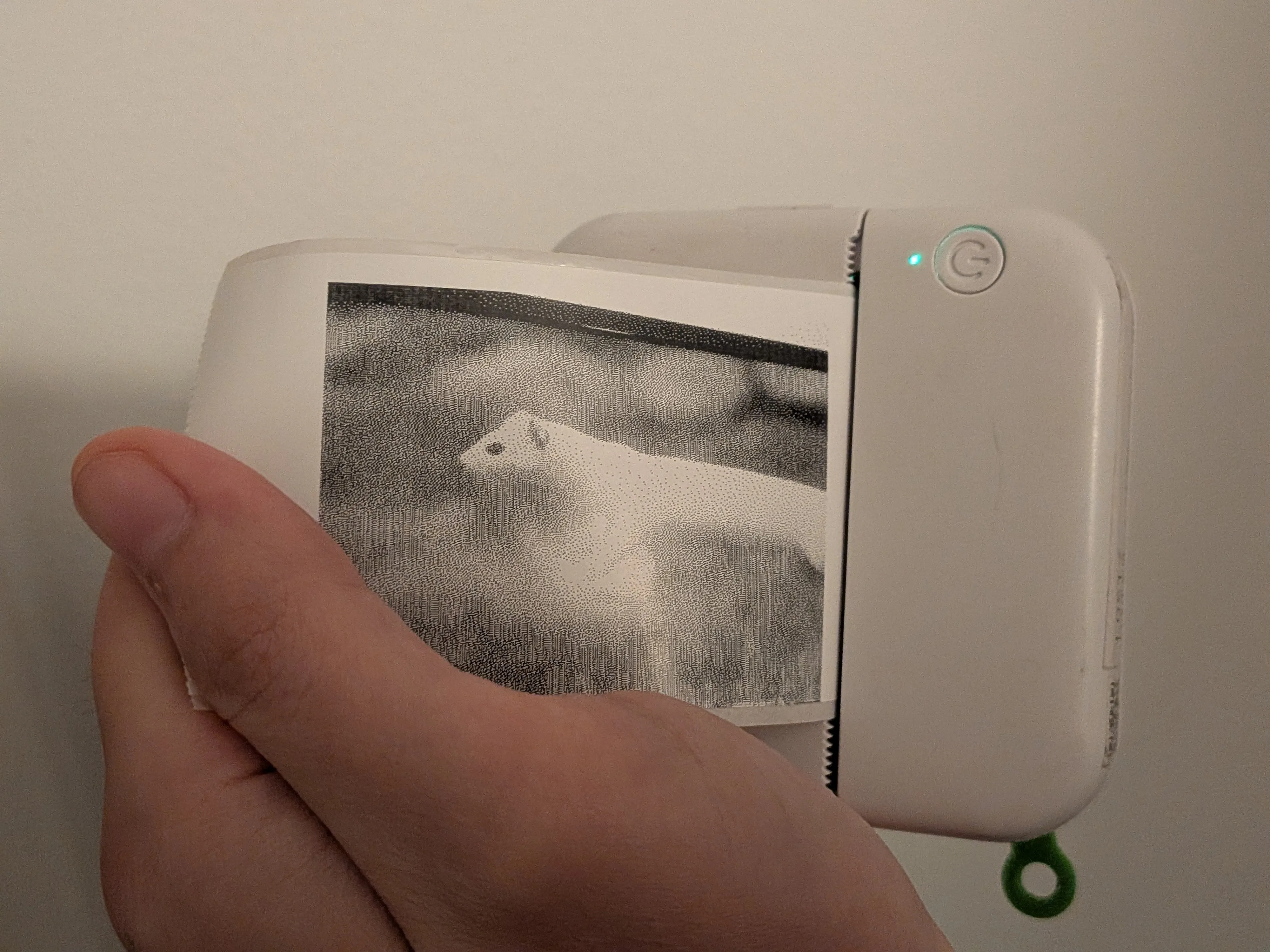
It also lets you pick between front and back camera, dither algorithms, paper rotation, aspect ratio, and zoom/position. It properly downscales preview with grayscale because 3ds screen is actually lower res than the thermal printer. It has a button to delete the saved image if someone runs into frame last second in congress.
yakuza0-disco-reversing
It is what it is.
We (me+gf) were trying to max out the side quests in Yakuza 0 (which we ended up only doing for Kiryu after we found out it requires countless hours of cabaret grinding for Majima), and that involves passing some really difficult disco minigames. Rhythm is really not my strength, and so we did what happens when you put two gay girls against a disco minigame: we started to dig into how we can automate it.
Initial idea was to screen record, then extract expected key presses, then automate the inputs. The whole scene is very lively though, and this was likely to be a pain, so we decided to instead dig into the game files. I extracted some files with ParManager, found the relevant parts, and decided to see how good claude would be at reversing the protocol. Within 15 minutes we had the first attempt at reversing it (took some back and forth to figure out timing, what buttons map to what, what positions map to what, and what events map to what), and within the hour we did our first successful automated try (different from the video above, less impressive).
I tinkered with it some more over the next day, especially as Majima’s disco missions were harder. I had it write a hexpat file to help analyse the files with imhex, had it implement maximizing steps (which increases score significantly), and minimize latency by talking directly to the ydotool daemon, allowing for maximizing steps even more, which led to the video above.
Due to my strong personal convictions, I wish to stress that this record, was in no way meant to be achievable

outdinemap
I wanted this one for a while. I, semi-famously, mask in indoors spaces (getting sick tends to get me out for a week and that sucks). I, non-famously, do enjoy restaurants.
Outdoor dining is really hard to find in cities with 2 weeks of summer (hamburg), so it’s been mainly a vacation thing for me. Google maps tends to know which places offer outdoor dining, especially through reviews, but doesn’t let you filter by it. Best you can do is search for “paella patio” and hope that it works.
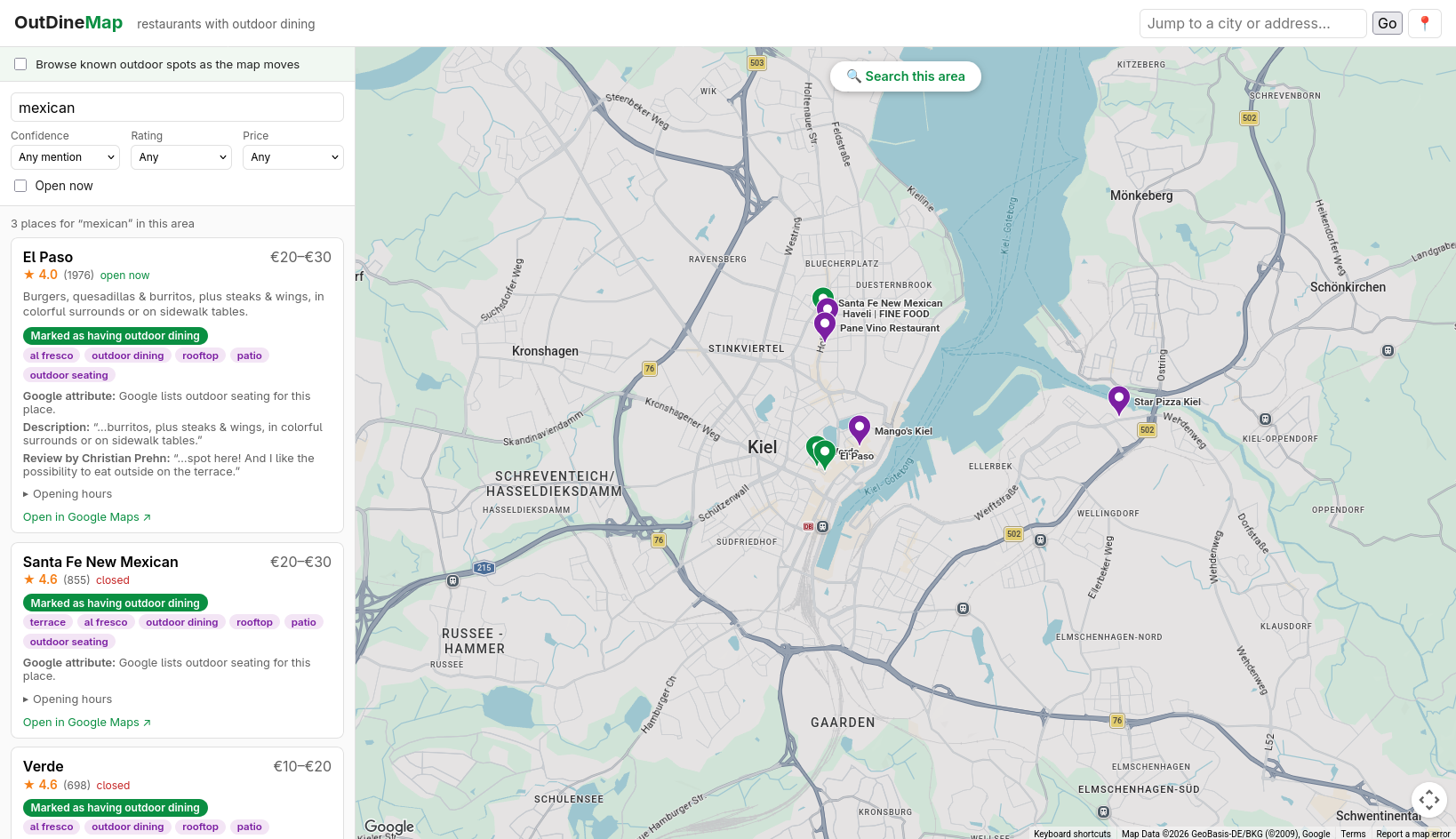
This was a claude fable 5 project, I wanted to see how far it could get just with minimal prompting, though I did throw in quite some more love down the line to make it much nicer to use. It uses the google maps search and detail APIs (which have semi-generous free limits, but cost an arm and a leg if you go above them, e.g. $40/1000 requests), searching for e.g. “mexican” and finding matching restaurants that have the tag, or have reviews mentioning it. It can also do a “deep search” with the free API tier, of searching “mexican terrace”, “mexican patio”, etc, and then fetching the matched restaurant IDs.
Here’s what it looks like:
And hey, what can I say, it even works in Hamburg:
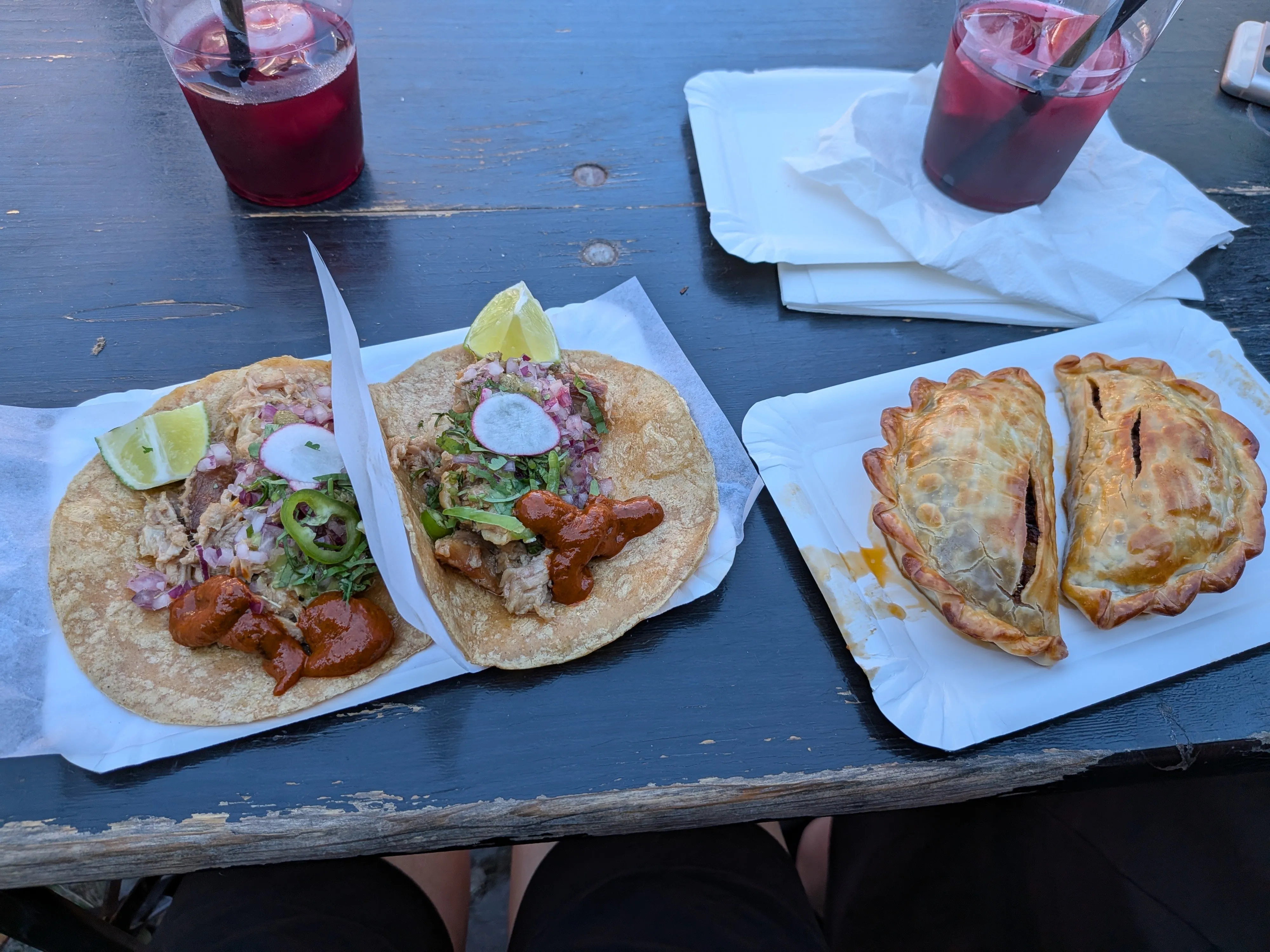
Absolute lifechanger.
learnings
yum yum yum yum, should’ve done this long ago
and dang those google apis cost a lot
catacylsm
There exists “cat printers” on aliexpress, which are thermal printers that look like cats. They take regular 38mm thermal paper, and most importantly, you can get 38mm sticker thermal paper. Big fan of carrying this thing in my backpack at all times.
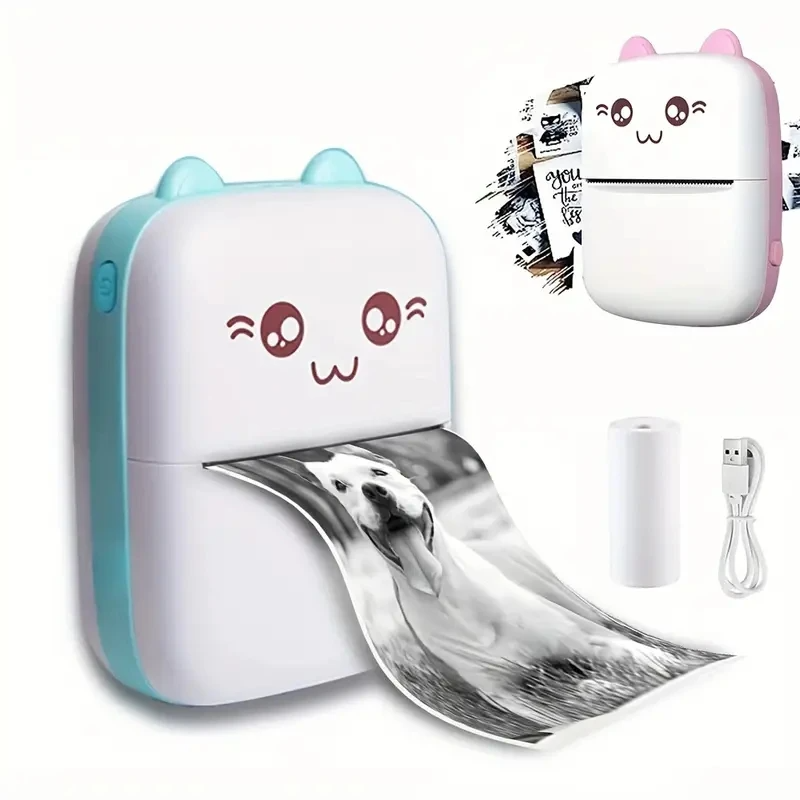
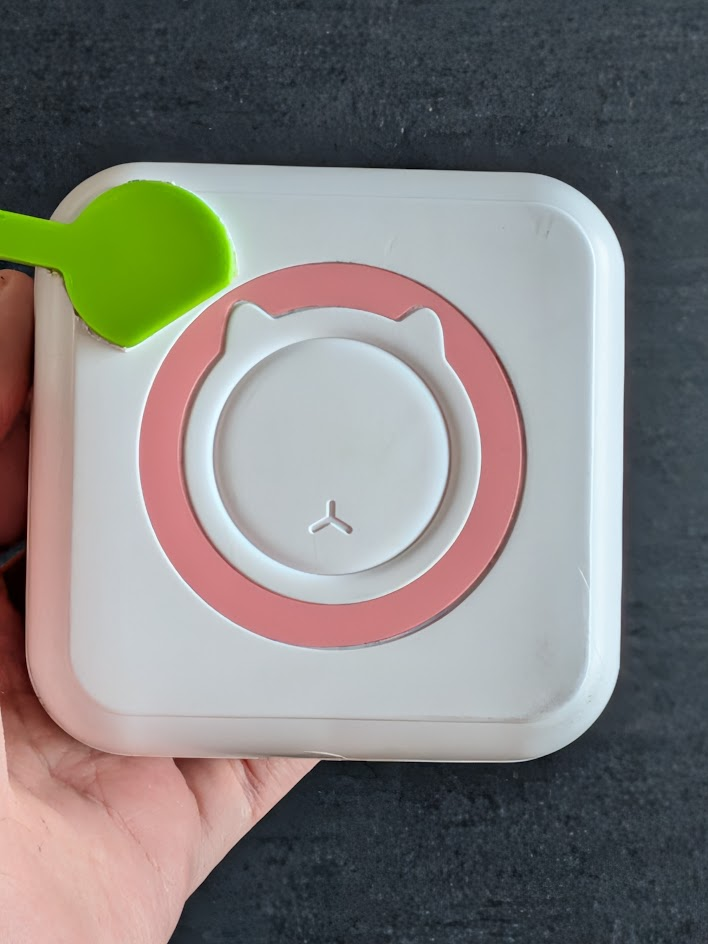
There’s approximately one billion implementations of these out there. I used to use RawBT but it costs more than the printer itself, and lacks some QoL features I wanted. One of the nice parts of LLMs is that you can just make highly personal software, so I took a few hours to do so as I got annoyed at RawBT’s lack of proper text support again.
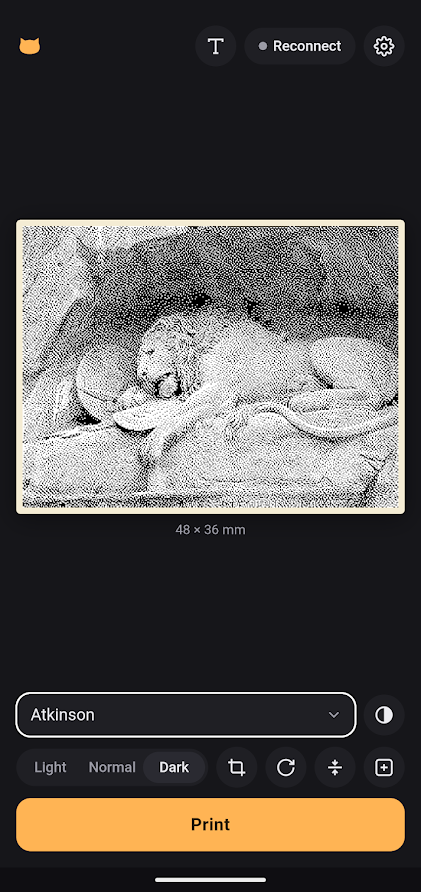
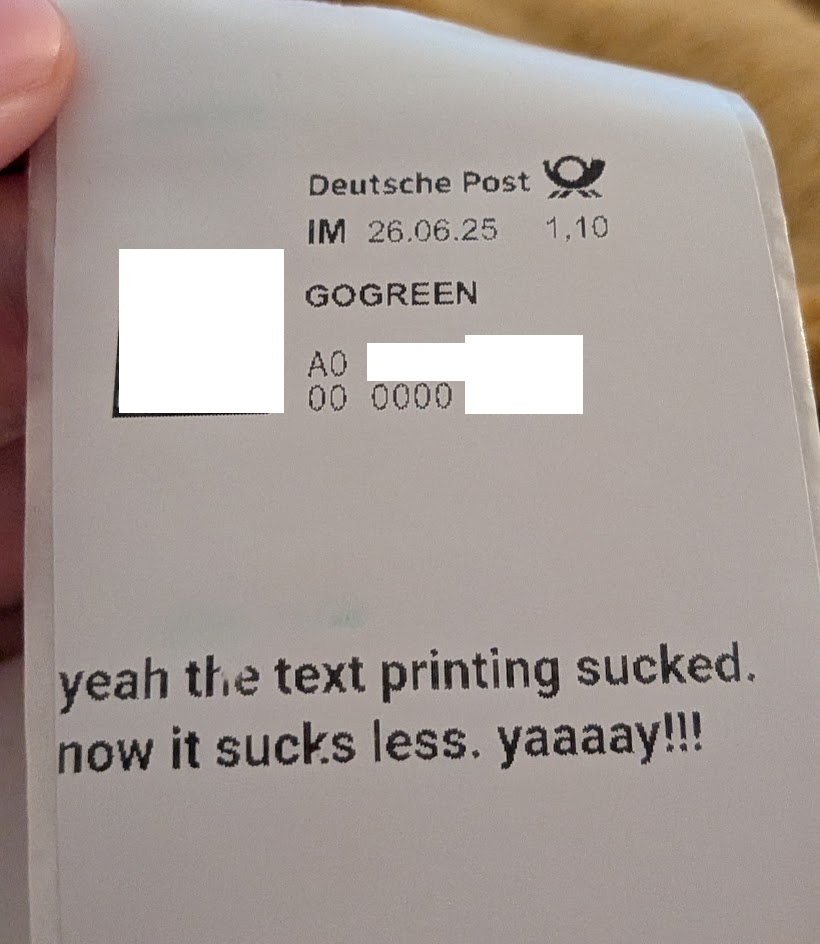
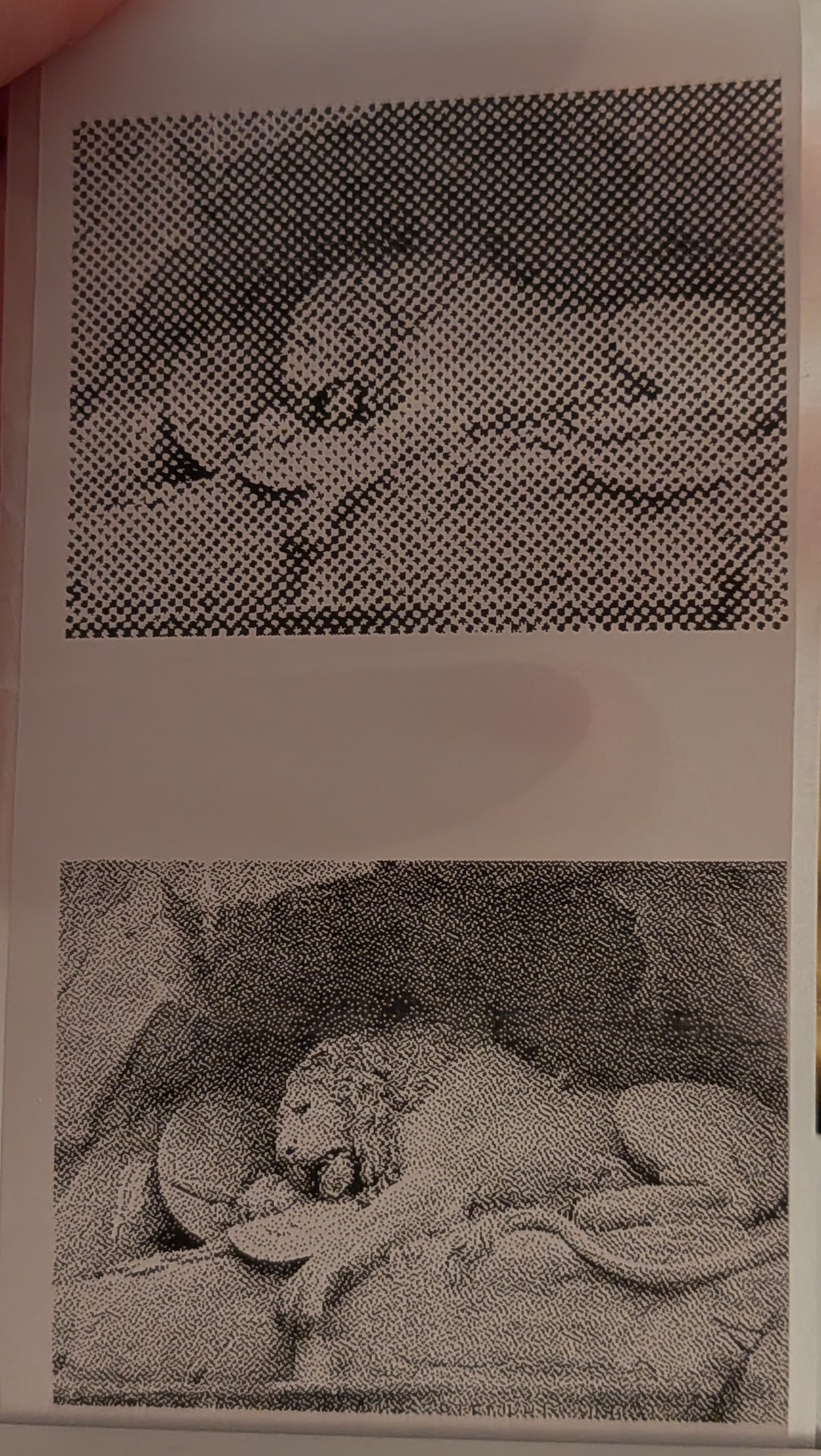
I’ve been really into having models make installable progressive web apps, utilizing webbluetooth, and this is one of those projects. It runs fully in the browser, can be installed to your app list, supports the chromium flag that allows automatic reconnection to previous devices without manually selecting it every time.
It has some features I wanted for a long while:
- It has a proper text editor.
- It can select sections of PDFs and match physical size based on DPI. I wanted this for so long, printing stamps in the correct size is super annoying, and as funny as it is to send registered mail with absurdly sized stamp, it is a bit unserious, and I’m always worried that post will be unhappy if it’s way too large or way too small, or upscaled in a way that no longer scans, etc.
- It can automatically crop the white space at the top and bottom of the print, saving paper space.
- It is free, and has a nice mobile UI.
- It has quite a few dithering options, more than RawBT.
aice-lite-reversing (pidce)
See en:2026 European heatwaves. Getting a proper AC is cheap, but requires convincing landlord to install properly. So I got that “neck AC” techmoan recommended a few years back (though he got his at 1/3 the price), specifically the current model, “RANVOO AICE Lite Max 2026” (what a name).
It works through Peltier effect, which is ~1/4 as efficient as heat pumps, which is more efficient than I’d expect. It works to cool you down quite a bit, at the cost of making you look like a tool (it wasn’t enough to make it bearable at ~37°C in Rome, though it did help).
The official app is surprisingly not bad, and device can be operated directly once you use the app once to turn off button sounds, but I didn’t trust it enough, so I got around to reversing it with Claude Opus 4.8. It was quite some pain, days of work to figure out all the bits, especially as capturing BLE data ended up being a problem. Android’s system BLE logger would truncate the bits, and the nrf52 based sniffer kept losing track of the connection. I had something reading the values really early on, but writing correct values kept being an issue, as it’d just not do anything. As a last resort, I tried hooking into the official app with frida, and then I realized the official app just logs the BLE comms by default anyways… insert facepalm :)
Anyhow, it works. It’s fully reimplemented. It’s a webbluetooth installable PWA. It auto-reconnects if you enable the correct flag. It does everything the official app does other than firmware updates (but there are none, currently). And most importantly: It calls it PID mode, not AI mode.
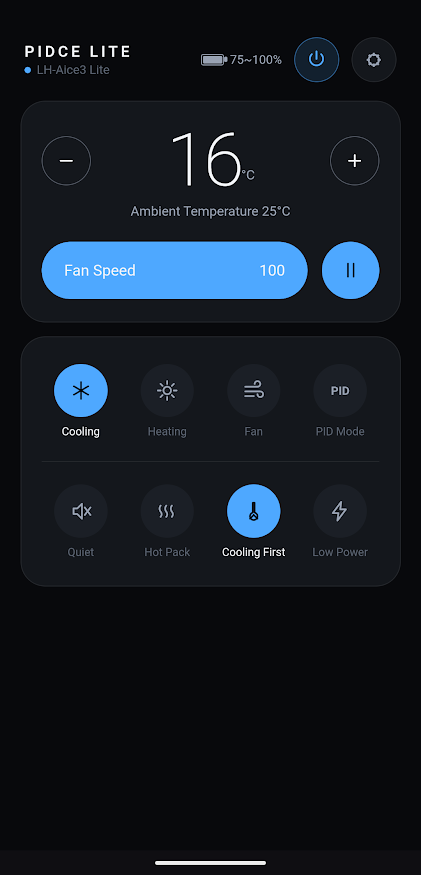
In the process, claude wrote 2 webapps, we tossed away both, then it wrote a cli tool, which we also then tossed away, then we wrote a new android app with all our findings, made it really nice, then wrote a new webapp based on that. The android app and the latest webapp are the only bits I published, because they’re the cleanest, most functional, and most in line with what I envisioned out of this project. If code is cheap, you shouldn’t feel sunk cost fallacy. This is also the lesson with the proton-g29.
learnings
Was very nice to explore how to properly sniff BLE traffic.
Fanless design does not mean fanless, no risk of snagging on hair does not mean that either. I might mod mine to add a slight grill to the intake at the bottom back. Because ow that sucked briefly during Rome.